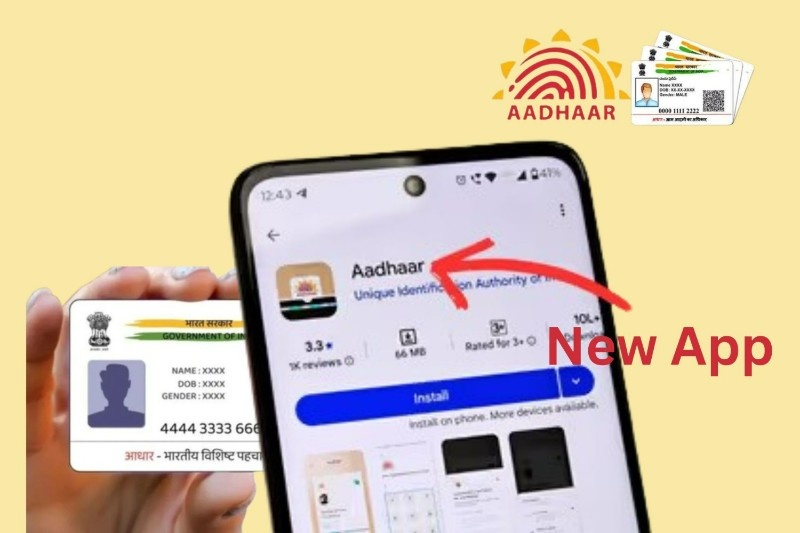
The Unique Identification Authority of India (UIDAI) has launched a new Aadhaar app for smartphones. This new app is made to give users a safer, easier, and faster way to manage their Aadhaar details. Many people in India still use old Aadhaar apps or visit Aadhaar centres for small updates. But now, UIDAI has redesigned the whole app with better security and helpful features so that users can do most Aadhaar work from their phone itself.
The new app is available on Google Play Store and Apple App Store, and anyone with an Aadhaar card can use it. The best thing is that the app now supports face authentication, offline mode, QR scanning, and strong security options. It also allows users to manage multiple Aadhaar cards in one place.
Below is a simple guide that explains all features of the new Aadhaar app and how to set it up step-by-step.
Main Features of the New Aadhaar App
1. Multi-Profile Support
You can add Aadhaar cards of your family members also. This helps families keep all Aadhaar details in one app. Parents can easily manage Aadhaar profiles of children and elderly members.
2. Strong Security Protection
The app allows you to lock/unlock your Aadhaar information whenever you want. Only you can see your details. You can also set a 6-digit security PIN to open the app.
3. Face & Biometric Authentication
The app supports face verification and biometric verification, which makes login more secure. Even if you forget OTP or network is slow, face scan can help you log in easily.
4. QR Code Services
You can scan Aadhaar QR codes for quick identity verification at banks, offices, and service centres. This reduces paperwork and makes the process fast.
5. Offline Aadhaar Access
Even without internet, you can view your Aadhaar details. As soon as you connect to the internet again, the app syncs your information.
6. Usage History
You can see where and when your Aadhaar has been used. This helps you check if someone else is using your Aadhaar without permission.
7. Address & Profile Management
You can update some details, download Aadhaar, check status, and manage your Aadhaar profile more easily compared to old apps.
How to Install & Set Up the New Aadhaar App
Setting up the new Aadhaar app takes only a few minutes. Here is a simple step-by-step guide for beginners:
Step 1: Download the App
Go to Google Play Store or Apple App Store.
Search for “Aadhaar App” by UIDAI and download it.
Step 2: Choose Language
Open the app and select your preferred language.
Step 3: Enter Aadhaar Number
Type your 12-digit Aadhaar number in the box.
Step 4: OTP Verification
Enter the OTP sent to your Aadhaar-registered mobile number.
Step 5: Face/Scan Authentication
You must complete a face or biometric authentication for safety.
Step 6: Set a Security PIN
Create a 6-digit PIN. You will need this PIN every time you open the app.
After this, your Aadhaar app is ready to use. Now you can add more profiles, download Aadhaar, check updates, or lock your biometrics.
Difference Between the Old Aadhaar App and the New Aadhaar App
Many users are confused between “new Aadhaar app” and “mAadhaar app”. Both are different and used for different purposes.
New Aadhaar App is for:
- Carrying digital Aadhaar
- Scanning QR codes
- Managing multiple Aadhaar profiles
- Offline Aadhaar access
- Security and lock/unlock features
- Tracking Aadhaar usage history
mAadhaar App is for:
- Downloading e-Aadhaar
- Updating basic profile details
- Using virtual ID instead of Aadhaar number
- Sharing Aadhaar details securely
The new Aadhaar app mainly focuses on daily use, while mAadhaar focuses more on updates and digital ID management. Both apps can work together, and the user does not need to uninstall any app.
Why the New Aadhaar App Is Useful for Every Indian
Many people still stand in long queues at government offices for simple Aadhaar services. But this new app tries to reduce these problems by putting important Aadhaar features in one place. It improves security, gives more control to the user, and prevents Aadhaar misuse.
The app is also helpful for people living in rural areas where internet is slow, because offline access is supported. Families can keep multiple Aadhaar cards safely without carrying physical copies.
In short, the app makes Aadhaar safe, smart, and simple.
The Final Words
The new Aadhaar app is a very useful tool for every Aadhaar holder. It gives better privacy, fast verification, and easy access to Aadhaar services on mobile. Anyone can install the app and use it without any technical knowledge. With time, UIDAI may add more features, making it even more user-friendly.
If you use Aadhaar frequently—for bank work, SIM verification, online services, or government benefits—then this new Aadhaar app is a must-have on your smartphone.