Managing PF (Provident Fund) has become much easier today because of digital services. You no longer need to visit offices again and again. With the help of the UMANG App, you can check your PF details and even apply for withdrawal directly from your mobile.
In this article, we will explain everything in simple English—what UMANG app is, how to withdraw PF money, its benefits, and real use cases.
What Is UMANG App?
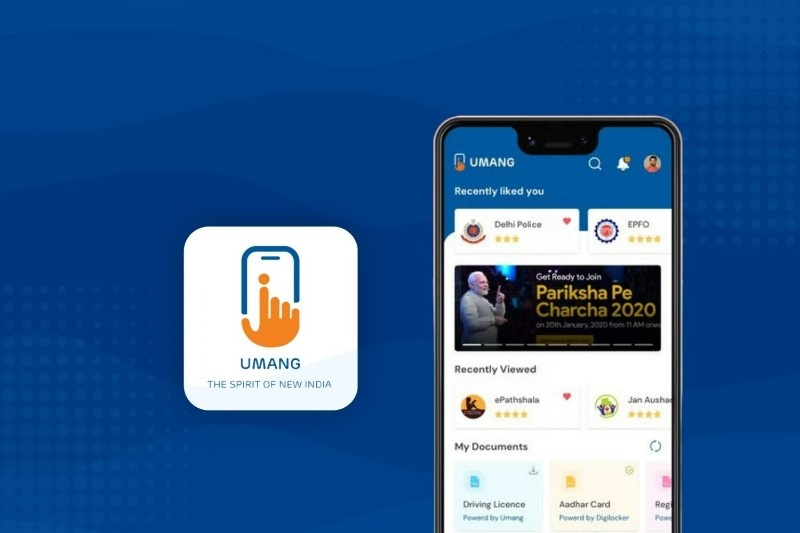
UMANG stands for Unified Mobile Application for New-age Governance. It is developed by Ministry of Electronics and Information Technology (MeitY), Government of India.
This app provides many government services in one place. You can access services like PF, PAN, Aadhaar, gas booking, and more without visiting different websites.
For PF users, it connects with Employees’ Provident Fund Organisation (EPFO), so you can manage your PF account easily.
Who Can Use UMANG for PF Withdrawal?
You can use the UMANG app for PF withdrawal if:
- Your UAN (Universal Account Number) is activated
- Your Aadhaar is linked with your PF account
- Your bank account is linked with PF
- Your mobile number is active for OTP
If these details are correct, you can easily apply for PF withdrawal online.
How to Withdraw PF Money Using UMANG App
The process is simple and can be done in a few steps.First, download the UMANG app from the Google Play Store or Apple App Store.
After installing, open the app and register using your mobile number. Verify it with OTP.
Next, search for EPFO services inside the app. Click on it and then choose the option related to employee services. Now log in using your UAN number and OTP. After login, select the option for “Raise Claim” or PF Withdrawal.
You will see your PF account details. Choose the type of withdrawal you want, such as full withdrawal or partial withdrawal. Fill in the required details and submit the request.
Once submitted, your claim will be processed. If everything is correct, the money will be transferred to your bank account.
How Long Does PF Withdrawal Take?
Usually, PF withdrawal takes a few days to process. In many cases, it may take around 5 to 10 working days.
The time can vary depending on verification and details. You can also check your claim status inside the UMANG app.
Benefits of Using UMANG App
One of the biggest benefits is convenience. You can apply for PF withdrawal anytime from your mobile without visiting any office. Another benefit is that the app combines many government services in one place. You do not need to use multiple websites.
It also saves time because the process is digital and faster compared to offline methods. The app is officially provided by the government, so it is generally safe and trusted.
Real Use Cases
Many employees use the UMANG app when they change jobs and want to withdraw their PF balance.
Some people use it during emergencies, such as medical needs or urgent expenses, where they need quick access to funds. Others use it to check PF balance regularly and manage their account details without any hassle.
User Experience and Reviews
Most users find the UMANG app helpful because it gives access to many services in one place. The PF withdrawal feature is especially useful for salaried employees. However, some users may face issues like login problems or slow processing at times. These problems are usually related to server load or incorrect details. Overall, it is considered a useful app for basic government services.
Important Tips Before Applying
Before applying for PF withdrawal, make sure your KYC details are updated. This includes Aadhaar, bank account, and PAN. Always check your bank details carefully to avoid payment issues.
Also, use a stable internet connection while submitting the application to avoid errors.
Final Thoughts
The UMANG app is a simple and useful tool for managing your PF account. It allows you to withdraw money, check balance, and track claims directly from your mobile.
For people who want an easy and fast way to access their PF money, this app can be a very helpful solution. Just make sure your details are correct, follow the steps carefully, and you can complete the process without any trouble.